¿Problemas de sueño en verano? Revisa tu nivel de humedad


 288 Comments


El verano significa noches sudorosas, dar vueltas inquieto en la cama y despertarse sintiéndose lejos de estar fresco. Podrías asumir que es solo el calor lo que te mantiene despierto, pero hay otro culpable acechando en tu dormitorio que es igual de perturbador: la humedad.
Si has estado luchando por dormir bien este verano, no estás solo. Exploremos por qué la humedad es importante, cómo es el ambiente ideal para dormir y cómo puedes tomar el control del clima de tu dormitorio para un mejor descanso con un termómetro digital y medidor de humedad.
Por qué la humedad es importante para el sueño
Tu cuerpo tiene un ciclo de sueño natural que depende en gran medida de la regulación de la temperatura. Para conciliar el sueño, la temperatura central de tu cuerpo debe descender entre 1 y 2 grados Fahrenheit. Esto le indica a tu cerebro que es hora de descansar. Cuando tu dormitorio está demasiado cálido o húmedo, tu cuerpo lucha por enfriarse, lo que te deja inquieto e incapaz de conciliar un sueño profundo.
Pero la humedad afecta más que solo la temperatura. La alta humedad en el aire:
- Evita que el sudor se evapore, haciéndote sentir más calor que la temperatura real.
- Hace que el aire se sienta pesado y pegajoso, lo que provoca incomodidad.
- Puede desencadenar problemas respiratorios, especialmente para quienes sufren de alergias.
- Promueve el crecimiento de ácaros del polvo y moho, lo que puede empeorar las alergias y el asma.
La investigación confirma esta conexión. Un estudio de 2024 publicado en Building and Environment encontró que la calidad del sueño disminuía con el aumento de la temperatura y la humedad. En la categoría de sueño corto (menos de 6 horas), todos los principales parámetros de calidad del sueño, incluida la eficiencia del sueño y la duración del sueño profundo, disminuyeron con niveles más altos de humedad. En otras palabras, la humedad no solo te incomoda; degrada activamente la calidad de tu sueño.
El desafío de la humedad en verano
Dependiendo de dónde vivas en los Estados Unidos, la humedad del verano puede variar de manejable a francamente opresiva. Las regiones del sureste y la costa del Golfo enfrentan los niveles más altos. En Miami, Florida, por ejemplo, la humedad promedio al final del día ronda el 65% entre junio y septiembre. Nueva Orleans promedia un 75.9% de humedad relativa, mientras que Houston se sitúa en un 74.7%.
Incluso estados que quizás no asocies con alta humedad experimentan una humedad significativa en verano. La humedad promedio de verano en Nueva Jersey es del 69%, y estados como Michigan y Massachusetts promedian alrededor del 75% durante los meses de verano.
El problema es que la humedad interior a menudo refleja las condiciones exteriores, especialmente si mantienes las ventanas abiertas o tienes poca ventilación. Esto significa que millones de estadounidenses intentan dormir en ambientes que están lejos de ser ideales.
¿Cuál es la temperatura y humedad ideales para dormir?
Entonces, ¿a qué deberías aspirar realmente? Esto es lo que dicen los expertos:
Temperatura
Los Centros para el Control y la Prevención de Enfermedades (CDC) recomiendan mantener la temperatura de tu dormitorio entre 60℉ y 67℉. La National Sleep Foundation se hace eco de esto, sugiriendo de 65℉ a 67℉ como el punto óptimo para la mayoría de las personas.
Humedad
Para la humedad, el rango ideal para dormir está entre el 40% y el 60% de humedad relativa, según investigadores del Laboratorio de Contramedidas de la Fatiga de la Fundación de Investigación de la Universidad Estatal de San José. La Sleep Foundation recomienda un rango similar del 30% al 50%, mientras que ASHRAE (la Sociedad Americana de Ingenieros de Calefacción, Refrigeración y Aire Acondicionado) sugiere mantener la humedad interior entre el 30% y el 60%.
Para el verano específicamente, apuntar a un rango del 40% al 50% es ideal. Esto te mantiene cómodo mientras previene el crecimiento de moho y la proliferación de ácaros del polvo, que se convierten en preocupaciones por encima del 60% de humedad.
En resumen: busca 65°F-67°F con un 40%-50% de humedad para dormir mejor este verano.

Cómo monitorear la temperatura y humedad de tu dormitorio
No puedes gestionar lo que no mides. Para crear el ambiente ideal para dormir, necesitas saber exactamente lo que está sucediendo en tu dormitorio durante la noche.
La temperatura y la humedad no son estáticas, fluctúan. Tu dormitorio puede sentirse cómodo cuando te acuestas a las 10 PM, pero a las 2 AM, la humedad podría dispararse a medida que el aire exterior se filtra o tu aire acondicionado se apaga. Sin monitorear, estás adivinando esencialmente. El monitoreo regular con un higrómetro te permite hacer ajustes oportunos. Es la diferencia entre esperar dormir bien y saber que has creado las condiciones adecuadas.
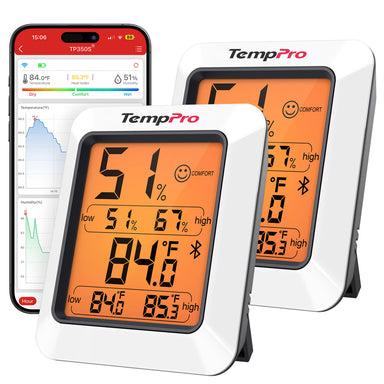
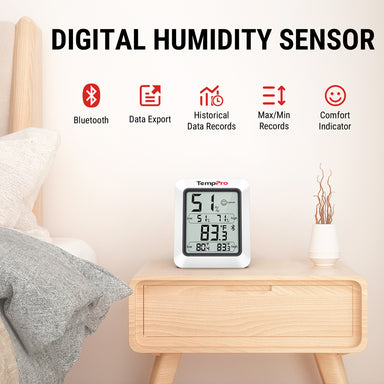
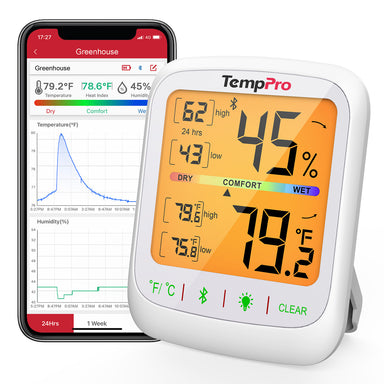
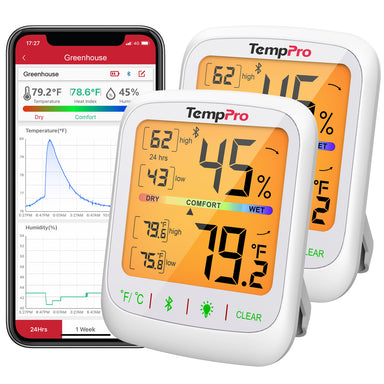
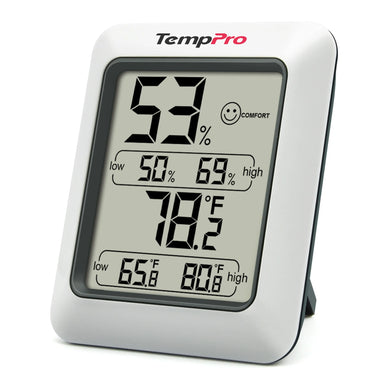
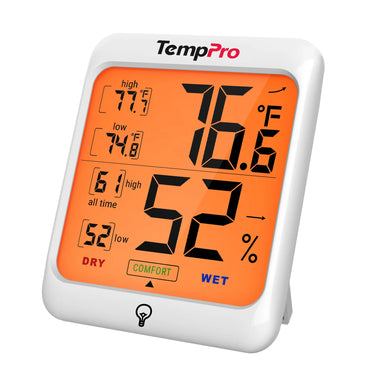
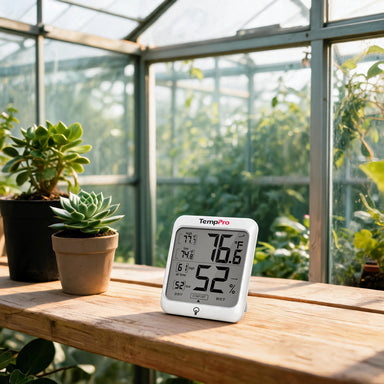
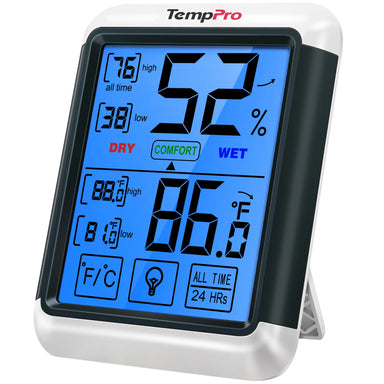
Para un monitoreo preciso y conveniente, el Termómetro e Higrómetro de Interior Bluetooth TempPro TP358 es una excelente opción.
Esto es lo que lo hace destacar:
- Alta precisión: El TempPro TP358 ofrece una precisión de hasta ±0.9°F para la temperatura y ±2% para la humedad relativa. Este nivel de precisión es importante cuando intentas ajustar tu entorno ideal para dormir.
- Monitoreo en tiempo real: El dispositivo actualiza las lecturas cada 10 segundos, para que siempre conozcas las condiciones actuales en tu dormitorio.
- Conectividad Bluetooth: Con un alcance inalámbrico de hasta 260 pies (80 metros), puedes monitorear la temperatura y la humedad de tu dormitorio desde cualquier lugar de tu casa a través de la aplicación gratuita TempPro Sensor. No es necesario levantarse de la cama para verificar la pantalla.
- Pantalla fácil de usar: La pantalla LCD con retroiluminación es fácil de leer, incluso en la oscuridad. Muestra la temperatura y la humedad claramente, junto con un reloj integrado.
- Indicadores de tendencia: El dispositivo muestra flechas de tendencia que te ayudan a anticipar los cambios antes de que se conviertan en problemas, para que puedas ajustar tu termostato o deshumidificador de forma proactiva.
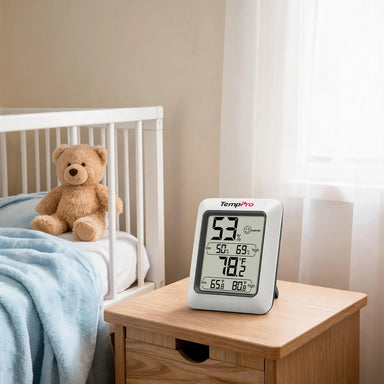
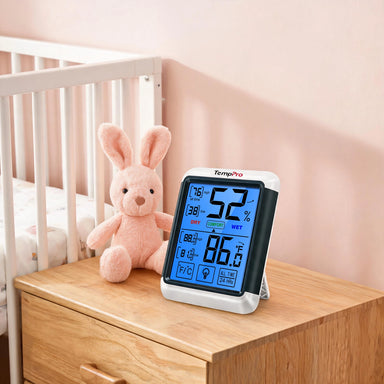
- Colocación versátil: Con opciones de montaje magnético, puedes colocarlo en cualquier lugar de tu dormitorio, en una mesita de noche, montado en un marco de cama de metal o pegado a una pared cerca de tu cama.

El TempPro TP358 esencialmente pone el clima de tu dormitorio al alcance de tu mano, dándote los datos que necesitas para tomar decisiones informadas sobre tu entorno de sueño.
Cómo crear el ambiente perfecto para dormir
Una vez que estés monitoreando la temperatura y la humedad de tu dormitorio, aquí te explicamos cómo ajustarlas:
Si la humedad es demasiado alta (por encima del 50-60%)
Utiliza tu aire acondicionado de forma eficaz. Los sistemas de aire acondicionado modernos eliminan la humedad como parte del proceso de enfriamiento. Mantén tu termostato constante, limpia o reemplaza los filtros de aire regularmente y programa el mantenimiento profesional para asegurar un drenaje adecuado.
Configura el ventilador de tu aire acondicionado en "Auto". Hacer funcionar el ventilador continuamente ("On") puede de hecho hacer circular aire húmedo de vuelta a la habitación. La configuración "Auto" permite que el sistema funcione correctamente para una deshumidificación óptima.
Considera un deshumidificador. Si vives en un área particularmente húmeda como el Sureste o la Costa del Golfo, un deshumidificador portátil o para toda la casa puede marcar una diferencia drástica. Según los expertos, los deshumidificadores suelen ser más eficientes energéticamente que hacer funcionar un aire acondicionado solo para el control de la humedad.
Mejora la ventilación. Usa extractores de aire en baños y cocinas para eliminar el exceso de humedad. Abre las ventanas brevemente durante los períodos de menor humedad (típicamente temprano en la mañana o tarde en la noche) para intercambiar el aire interior y exterior.
Limita las fuentes de humedad interiores. Evita secar la ropa en interiores, limita hervir grandes cantidades de agua y toma duchas más cortas y frescas.
Si la humedad es demasiado baja (por debajo del 30%)
Aunque es menos común en verano, algunos espacios con aire acondicionado pueden volverse excesivamente secos. Si te despiertas con la garganta seca, los ojos irritados o la piel seca, tu humedad podría ser demasiado baja.
Usa un humidificador para devolver la humedad al aire. Coloca un recipiente con agua cerca de una fuente de calor o usa plantas de interior para aumentar la humedad de forma natural.
Ajustes de temperatura
Pre-enfría tu habitación. Si tienes aire acondicionado, ajústalo a la temperatura deseada unos 30 minutos antes de acostarte para que tenga tiempo de funcionar.
Usa los ventiladores estratégicamente. Un ventilador de techo o de suelo crea un flujo de aire que ayuda a que el sudor se evapore y te hace sentir más fresco. Coloca un ventilador para que sople a través de tu cuerpo, no directamente a tu cara.
Elige ropa de cama transpirable. Las sábanas de percal de algodón y lino son algunas de las opciones más frescas y cómodas. Evita los tejidos sintéticos que atrapan el calor.
Toma una ducha fresca antes de acostarte. Esto ayuda a bajar la temperatura central de tu cuerpo y prepara el escenario para esa caída natural necesaria para conciliar el sueño. Duerme con ropa ligera de tejidos naturales; los materiales ajustados o pesados pueden atrapar el calor.
Poniéndolo todo junto: Tu plan de acción para el sueño de verano
Aquí tienes un sencillo plan paso a paso para optimizar tu dormitorio este verano:
Paso 1. Consigue un higrómetro. Coloca un TempPro TP358 en tu dormitorio para empezar a registrar la temperatura y la humedad.
Paso 2. Establece tus objetivos. Apunta a 65°F-67°F y 40%-50% de humedad.
Paso 3. Monitorea durante unas noches. Observa lo que realmente sucede en tu dormitorio durante la noche. Podrías sorprenderte con las fluctuaciones.
Paso 4. Ajusta en consecuencia. Si la humedad es demasiado alta, enciende tu aire acondicionado con el ventilador en "Auto", usa un deshumidificador o mejora la ventilación. Si es demasiado baja, añade un humidificador.
Paso 5. Ajustes finos. Utiliza los indicadores de tendencia y los datos de la aplicación del TempPro TP358 para ver qué ajustes funcionan mejor. Con el tiempo, aprenderás exactamente lo que tu dormitorio necesita para un sueño óptimo.
6. No olvides lo básico. Las cortinas opacas, las máquinas de ruido blanco y un horario de sueño constante contribuyen a un mejor descanso.
Consideraciones finales
La humedad no es solo una pequeña molestia en verano, sino que es un factor significativo que puede mejorar o empeorar la calidad de tu sueño. Con niveles de humedad en muchas partes de EE. UU. que superan regularmente el 60% durante los meses de verano, no es de extrañar que tantas personas luchen por conseguir un sueño reparador en esta época del año.
La buena noticia es que no tienes que sufrir noches pegajosas y sin dormir. Al comprender el rango ideal de temperatura y humedad, monitorear tu dormitorio con un dispositivo confiable como el Termómetro higrómetro de interior Bluetooth TempPro TP358 y realizar ajustes específicos, puedes crear un ambiente para dormir que realmente funcione con tu cuerpo en lugar de en su contra.
El sueño es demasiado importante para dejarlo al azar. Toma el control del clima de tu dormitorio este verano y regálate un descanso verdaderamente reparador. Tu cuerpo y tu yo del mañana te lo agradecerán.


Comentarios
También te puede interesar


Productos recomendados