Comment économiser sur les factures de chauffage en connaissant vos températures intérieures


 288 Comments


L'hiver frappe fort, non seulement dans les prévisions météorologiques, mais aussi dans votre budget mensuel. Les coûts de chauffage augmentent régulièrement année après année, et pour de nombreux ménages, ils représentent la plus grande dépense énergétique de la saison. Il est tentant de monter le thermostat pour rester confortable, mais ce confort a souvent un prix : des centaines de dollars ajoutés à votre facture.
La vérité surprenante ? Une grande partie de ce coût provient du fait de ne pas savoir quelles sont réellement vos températures intérieures et vos niveaux d'humidité. Un thermostat dans un couloir ne représente pas toute la maison. Les chambres, les salons et les sous-sols racontent tous une histoire différente, et sans visibilité, vous finissez par payer pour une énergie dont vous n'avez pas réellement besoin.
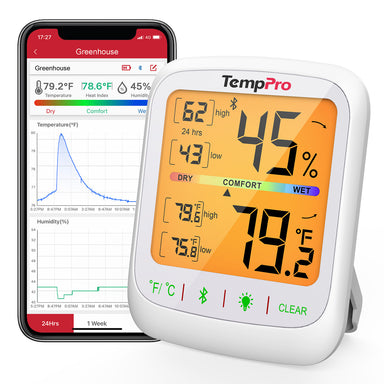
La solution est simple : arrêtez de deviner. Avec les bons outils, comme le thermomètre-hygromètre numérique d'intérieur TempPro TP50, vous pouvez voir exactement ce qui se passe dans chaque pièce et prendre des décisions plus intelligentes concernant votre chauffage.
Pourquoi "avoir froid" ne concerne pas toujours la température ?
Nous avons tous vécu ce moment : le thermostat indique 21°C, mais vous êtes toujours emmitouflé dans une couverture, grelottant. Pourquoi ? Parce que la température n'est que la moitié de l'équation. L'humidité joue un rôle énorme dans la sensation de chaleur ou de froid d'une pièce.
L'air sec de l'hiver fait que la même température de 21°C est ressentie beaucoup plus froide par votre corps. D'un autre côté, les pièces trop humides peuvent sembler moites même à des températures plus basses. Si vous ne comptez que sur votre thermostat, vous naviguez à l'aveugle.
Le problème des thermostats seuls
Les thermostats sont utiles, mais ils sont aussi limités. La plupart des foyers n'en ont qu'un ou deux, et ils sont rarement dans les pièces où vous passez le plus de temps. Votre salon pourrait être à 21°C pendant que les chambres à l'étage descendent à 15°C. Le thermostat ne sait que ce qui se passe dans le couloir.
Cette déconnexion conduit à une surcompensation. Vous augmentez le chauffage pour vous assurer que les chambres sont chaudes, mais en réalité, vous surchauffez le reste de la maison. Le résultat ? Des factures exorbitantes et un confort inégal.
Comment mesurer l'humidité et la température dans votre maison
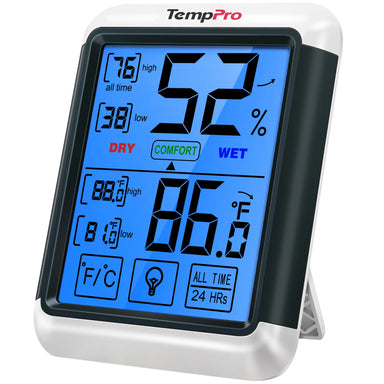
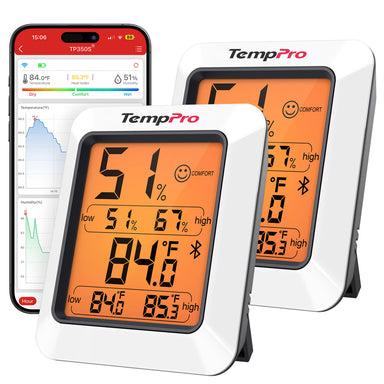
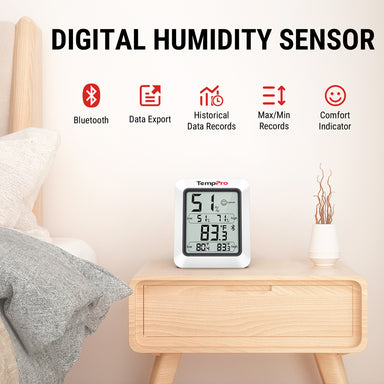
Le thermomètre-hygromètre numérique d'intérieur TempPro TP50 n'est pas tape-à-l'œil, mais il n'a pas besoin de l'être. C'est un appareil simple, précis et abordable qui fait un travail extrêmement bien : vous dire la vérité sur votre environnement intérieur.
Caractéristiques principales :
- Lectures très précises : Mesure la température et l'humidité avec une précision impressionnante : ±0,5°C pour la température, et ±2–3% HR pour l'humidité.
- Indicateur de confort aérien : Des icônes de visage simples (Sec/Confort/Humide) affichent les conditions en un coup d'œil.
- Enregistrements des maximums et minimums : Suivi des extrêmes quotidiens, vous aidant à repérer les schémas de perte de chaleur.
- Taux de rafraîchissement rapide : Mise à jour toutes les 10 secondes pour une précision en temps réel.
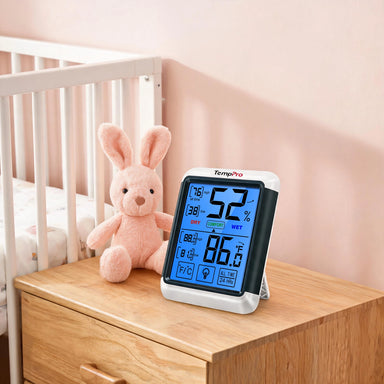
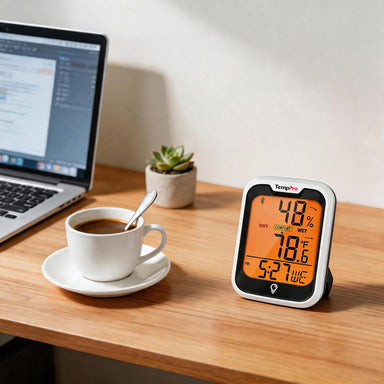
- Plusieurs options de placement : Support de table, dos magnétique ou fixation murale s'adaptent à n'importe quel espace.
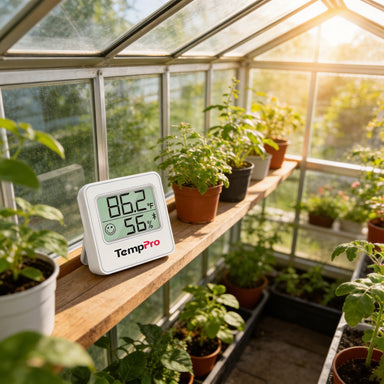
- Nombreuses utilisations : Fonctionne comme thermomètre d'ambiance, hygromètre d'humidificateur, moniteur de réfrigérateur/congélateur, ou même traqueur d'environnement pour reptiles/plantes.

Pour moins que le coût d'un repas à emporter en famille, le TempPro TP50 vous aide à faire des choix de chauffage plus intelligents tout au long de l'hiver.
Comment le TempPro TP50 aide à réduire les coûts de chauffage
Voici comment l'utilisation du TempPro TP50 peut directement réduire vos factures :
- Identifier les zones de perte de chaleur : Placez-en un dans votre sous-sol ou près des fenêtres. Si la température baisse de manière significative par rapport aux autres pièces, vous avez trouvé où les améliorations d'isolation seront rentables.
- Optimiser l'humidité : Maintenir l'humidité intérieure entre 30 et 50 % vous aide à vous sentir plus chaud à des températures plus basses. Cela signifie que vous pouvez maintenir le thermostat quelques degrés plus bas sans sacrifier le confort.
- Prévenir la surchauffe : Surveillez les pièces individuellement pour éviter de surchauffer les espaces que vous n'utilisez pas souvent. Chauffer la chambre d'amis lorsqu'elle est vide gaspille de l'énergie.
- Exploiter les enregistrements des maximums/minimums : Vérifiez les maximums et minimums quotidiens pour voir quand les températures des pièces chutent. Si les températures plongent la nuit, vous n'aurez peut-être besoin d'un chauffage ciblé qu'à ce moment-là, et non toute la journée.
- Utilisation intelligente des appareils : Associez le TempPro TP50 à des chauffages d'appoint, des humidificateurs ou des déshumidificateurs uniquement lorsque les conditions l'exigent, au lieu de les faire fonctionner 24h/24 et 7j/7.
En bref : la connaissance économise de l'argent.

Comment utiliser le TempPro TP50 chez vous
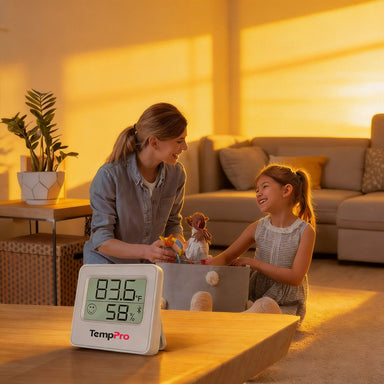
- Salon : Gardez un œil sur le confort quotidien là où votre famille se rassemble.
- Chambres : Assurez-vous que les espaces de couchage ne descendent pas trop bas la nuit.
- Sous-sols : Détectez l'humidité tôt avant que la moisissure ne se propage.
- Garages ou locaux de stockage : Protégez les outils, le vin ou l'électronique des variations extrêmes.
- Réfrigérateurs/Congélateurs : Surveillez les températures des appareils pour l'efficacité et la sécurité.
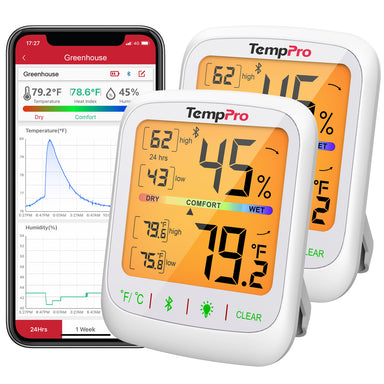
Son design compact et son dos magnétique le rendent facile à déplacer selon les besoins, ou investissez dans quelques-uns pour une couverture de toute la maison.
Foire aux questions (FAQ) sur l'utilisation du TP50
Q : Quelle est la température intérieure idéale pour l'hiver ?
R : La plupart des experts recommandent de régler votre thermostat entre 20°C et 21°C lorsque vous êtes à la maison et de le baisser lorsque vous êtes absent ou que vous dormez. Avec le TP50, vous pouvez vérifier si chaque pièce correspond réellement à ce réglage.
Q : Quel niveau d'humidité dois-je maintenir en hiver ?
R : L'humidité intérieure doit rester entre 30 % et 50 %. Trop faible, elle provoque une peau sèche et des chocs statiques ; trop élevée, elle peut favoriser la moisissure. Le TP50 affiche l'humidité exacte ainsi qu'une icône de confort (Sec/Confort/Humide) pour que vous puissiez l'équilibrer facilement.
Q : Quelle est la précision du TempPro TP50 ?
R : Le TP50 mesure avec une précision de ±0,5°C pour la température et de ±2–3 % pour l'humidité, se rafraîchissant toutes les 10 secondes pour des lectures à jour.
Q : Où dois-je placer le TP50 pour de meilleurs résultats ?
R : Placez-le dans les pièces où vous passez le plus de temps : salons, chambres et sous-sols. Le support de table, le support mural et le dos magnétique du TP50 vous offrent une grande flexibilité.
Q : Le TP50 peut-il aider à réduire les factures de chauffage ?
R : Oui. En vous montrant les températures réelles dans chaque pièce, le TP50 vous aide à éviter de surchauffer les espaces inutilisés et vous permet d'équilibrer l'humidité afin que votre maison soit plus chaude à des réglages de thermostat plus bas.
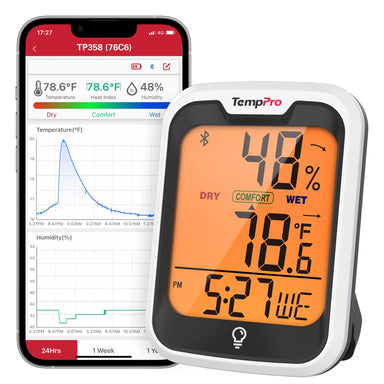
Q : Le TP50 nécessite-t-il le Wi-Fi ou une application ?
R : Non. Le TP50 est un appareil autonome – pas de Wi-Fi, d'application ou de configuration compliquée requis. Insérez simplement la pile AAA incluse, et il est prêt à l'emploi.
Q : Quelle garantie est fournie avec le TP50 ?
R : Le TP50 inclut la garantie standard de TempPro, qui s'étend à 3 ans avec une inscription gratuite sur le site Web de TempPro.
Scénario réel : Le problème de la chambre à coucher
Imaginez une famille avec des chambres à l'étage. Le thermostat en bas indique 22°C, mais la nuit, les chambres à l'étage descendent à 18°C. La famille monte le thermostat à 24°C, espérant équilibrer les choses. Le résultat ? Des espaces de vie surchauffés, un sommeil agité et des factures plus élevées.
Avec un TP50 dans chaque chambre, ils découvrent le vrai problème : des fenêtres mal isolées. Au lieu de faire fonctionner le chauffage central plus fort, ils réparent l'isolation des fenêtres et utilisent un petit chauffage d'appoint juste la nuit. Le confort s'améliore et les factures diminuent.
C'est le pouvoir de la visibilité.
Le petit appareil qui s'autofinance
Pensez-y : baisser votre thermostat d'un seul degré Celsius peut vous faire économiser jusqu'à 3 % sur les coûts de chauffage. Si le TP50 vous aide à baisser votre thermostat de 1 à 2°C sans sacrifier le confort, il se rentabilise en un seul mois d'hiver.
Sur une saison complète, les économies s'additionnent à une somme d'argent considérable. Combinez cela avec la prévention des dommages causés par la moisissure, l'évitement des pièces surchauffées et la réduction des visites chez le médecin dues à un mauvais air, et cet hygromètre numérique justifie amplement sa place dans votre maison.
Des avantages pour la santé au-delà des factures
Économiser de l'argent est important, mais le confort et la santé comptent aussi. L'air sec peut déclencher des allergies, des problèmes de peau et des inconforts respiratoires. Les sous-sols humides peuvent favoriser la croissance de moisissures, rendant les conditions dangereuses.
Le TP50 aide à équilibrer l'air intérieur pour une meilleure santé :
- Alerte air sec : Ajoutez un humidificateur lorsque les niveaux descendent en dessous de 30 %.
- Alerte humidité : Faites fonctionner un déshumidificateur avant l'apparition de moisissures.
- Confort constant : Réduisez l'irritation des sinus, les démangeaisons cutanées et les chocs statiques.
Un air plus sain n'est pas seulement un avantage secondaire, mais il signifie souvent moins de visites chez le médecin et moins de dépendance aux médicaments pour les inconforts hivernaux.
Réflexions finales
Les factures de chauffage sont une réalité de l'hiver, mais payer trop cher ne doit pas l'être. La plupart des foyers perdent de l'argent parce que leurs propriétaires ne connaissent pas les conditions réelles de leurs espaces de vie. En suivant la température et l'humidité, le thermomètre-hygromètre numérique d'intérieur TempPro TP50 vous permet de faire des choix plus intelligents chaque jour.
Il est compact, précis et polyvalent, vous aidant à réduire les coûts, à améliorer le confort et à protéger votre santé.
Au lieu de laisser votre thermostat dicter votre facture, prenez le contrôle avec le TempPro TP50. Un petit outil, des économies infinies.


Commentaires
Vous aimerez peut-être aussi


Produits recommandés